
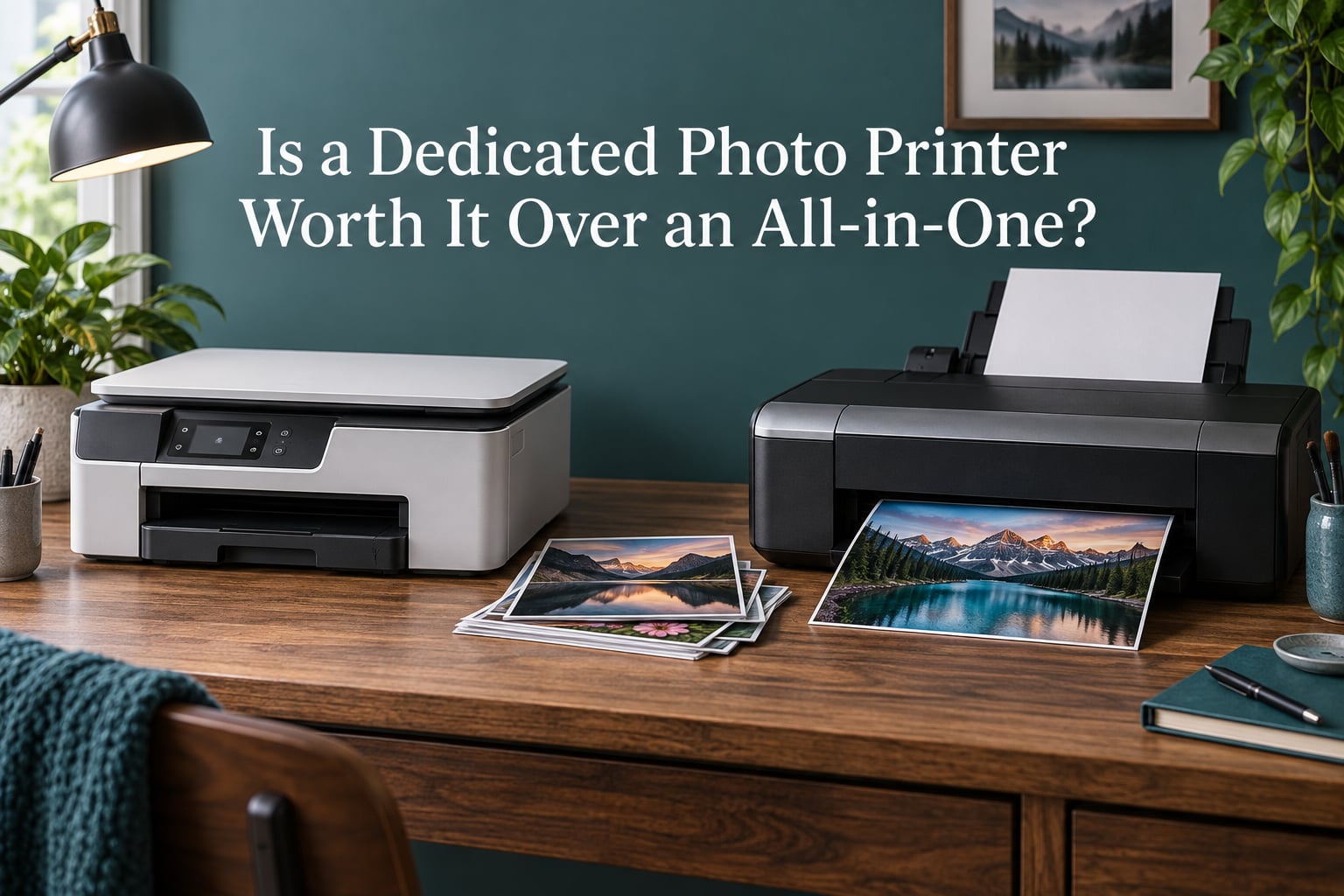
Every few months someone asks me whether the all-in-one already sitting on their desk is good enough for photos, or whether a dedicated photo printer earns its extra cost. The answer depends almost entirely on two things: how large the prints need to be, and how many photos you actually make in a year. This guide breaks down the dedicated photo printer vs all-in-one printer decision the way I work through it with friends and readers, including the ink math most buying guides leave out and the volume threshold where the answer flips. It was updated for 2026, and it deliberately avoids naming specific models, because the honest answer is a class of printer rather than a single machine.
If you read nothing else, read the next section. Then check your monthly print volume before you shop.
Table of Contents
- Is a Dedicated Photo Printer Worth It Over an All-in-One? The Short Verdict
- What Counts as a Dedicated Photo Printer?
- Dedicated Photo Printer vs All-in-One: Side-by-Side Comparison
- Print Quality: Where the Two Actually Diverge
- The Real Cost: Ink, Paper, and Total Cost of Ownership
- How Much Photo Printing Do You Actually Do? A Break-Even Check
- When an All-in-One Is the Better Buy
- When a Dedicated Photo Printer Is Worth the Money
- Print Size and Paper Support: A Decision Guide
- The Drawbacks Nobody Mentions
- Color Management, Connectivity, and Print Longevity
- Frequently Asked Questions
- What is the best type of printer for printing photos?
- What is the best printer for photo printing at home?
- Is it worth having your own photo printer?
- Why are laser printers not good with photos?
- What are the key differences between a photo printer and a regular printer?
- Which printer has the least amount of problems?
- What is the best photo printer with the cheapest ink cartridges?
- Why has the cost of printer ink gone up so much?
- What are the best photo printers according to Consumer Reports?
- What is the least expensive photo printing service?
- Conclusion: Which Printer Class Fits Your Print Life
Is a Dedicated Photo Printer Worth It Over an All-in-One? The Short Verdict
Usually not. A dedicated photo printer is worth the extra money only if you regularly print larger than 8×10 inches, print in black and white, produce fine-art paper prints, or generate photos in volume for other people. If you make a handful of 4×6 prints a month, a photo-capable all-in-one will do the same job for less money and take up less space.
The four questions that settle it in under a minute:
- Do you need prints bigger than 8×10 inches? If yes, the all-in-one is out. Only dedicated photo printers handle 11×17 and 13×19 sheets or roll media.
- Do you print black and white? If yes, you want a printer with a dedicated gray or light-black ink, which is where all-in-ones fall away.
- Do you print more than roughly 20 to 30 photos a month? If no, the running cost of a photo printer will not justify itself.
- Do you need to scan and copy documents? If yes, you either keep an all-in-one alongside it or pay for a two-printer setup.
One warning before going further: a great many photo-printing guides published years ago still recommend hardware such as the Canon PIXMA PRO-10, Epson PictureMate PM-400, Canon PIXMA PRO-100 and HP Envy 5055. Those recommendations are badly dated. Check that whatever you consider is still sold and still supported before you plan around it.
What Counts as a Dedicated Photo Printer?
A dedicated photo printer is built for one job. It prints photographs and nothing else, using more inks than a general-purpose machine, supporting larger and heavier paper, and usually carrying no scanner, copier or document feeder at all.
There are four classes to keep straight, and confusing them is the source of most bad purchases:
- Small-format or snapshot printer. Prints wallet-size 2×3, 4×6 and 5×7 photo paper and nothing else. Many use dye-sublimation or Zink technology rather than ink cartridges, so there is no ink to dry out and no head to clog. Popular with scrapbookers and card makers.
- Near-dedicated photo printer. Prints photos only, in sizes up to 13×19 inches, on glossy, luster, matte and fine-art media. Ink counts run from 6 to 12. This is the class photographers usually mean when they say photo printer.
- Photo-centric all-in-one. A multifunction printer, or MFP, with a flatbed scanner, copier and often an automatic document feeder, but built with an extra ink or two specifically for photographs.
- General all-in-one. A document-first MFP with 4 inks that happens to print acceptable photos on photo paper. Excellent at forms, invoices and school projects; the photographs are adequate rather than impressive.
For most households, the real choice is between the second and third classes. Everything else is a special case.
Dedicated Photo Printer vs All-in-One: Side-by-Side Comparison
The key differences between a photo printer and a regular printer come down to ink count, maximum paper size and whether scanning is built in. A dedicated photo printer wins on size, media flexibility and tonal range. An all-in-one wins on scanning, copying and the cost of doing occasional snapshots.
| Decision factor | Dedicated photo printer | All-in-one (MFP) |
|---|---|---|
| Maximum print size | Up to 13×19 inches or roll media | Letter, or 11×17 on larger models |
| Ink count | 6 to 12, usually with extra blacks and grays | 4 to 5, sometimes 6 |
| Ink chemistry | Pigment, or pigment with dye for gloss | Mostly dye, some hybrid models |
| True black and white | Yes, via gray and light-black inks | Mixed black inks, tints often visible |
| Borderless printing | Standard across the full paper width | Available, occasionally driver-limited |
| Scan, copy, document feeder | None | Yes, on every model in the class |
| Cost per 4×6 photo | Higher per print | Lower per print |
| Paper and media support | Glossy, luster, matte, fine art, canvas, roll | Photo paper, envelopes, cardstock |
| Footprint | Wide, with rear clearance for large sheets | Compact, fits a small desk |
| Best suited to | Framed prints, galleries, client work | Snapshots, documents, scanning, families |
| Skip it if | You make very few prints | You need prints larger than 11×17 inches |
Print Quality: Where the Two Actually Diverge
The visible gap between the two classes is not raw resolution. Both classes advertise similar maximum resolutions such as 4800 x 1200 or 5760 x 1440 dots per inch, and both look sharp at 4×6 inches. The difference shows up in smoothness, tonal range and how the printer handles a hard subject.
Grain and banding. More ink colors mean smaller gaps between them. A 4-ink all-in-one has to fake a mid-tone with a mix of cyan, magenta and yellow, which produces visible speckle in skies and skin. A 6-ink machine adds light and dark magentas for exactly this reason. Wider-gamut models add light cyan, light magenta and a gray, and those extra inks are the single biggest driver of smoother gradients.
Skin tones. Photographers consistently rank skin tone accuracy above resolution, and the same holds in forum discussion. Inks that are more saturated produce more intense color, which is why small snapshot printers are sometimes described as looking garish and needing a settings tweak. A wider gamut gives you a more neutral starting point to correct from.
Black and white. This is the clearest technical divide. All-in-ones typically print neutral gray by mixing cyan, magenta and yellow, and that mixture can drift warm or cool. A photo printer using a pigment black plus a gray, or a black plus a light black, renders smooth neutral-to-warm or neutral-to-cool ramps. On a monochrome photograph, a photo printer simply has more room to work with. The same mechanism explains why one all-in-one user on DPReview’s forums argued that a five-dye-ink Canon all-in-one is the cheapest route to good grayscale output, with the gray cartridge doing the work.
Dye versus pigment. Dye inks are translucent and give high gloss and vivid color, which is why most all-in-ones and many photo printers use them. Pigment inks are opaque and far more lightfast, which is why dedicated photo printers are often pigment-based or a hybrid. The practical consequence is that a dye print wants to be displayed away from direct sunlight, while a pigment print can be framed for decades.
Borderless output. Both classes can print to the full width of the sheet. Photo printers treat this as a core function and are tuned for it, while on some all-in-ones it is buried a few layers into the print dialog.
The Real Cost: Ink, Paper, and Total Cost of Ownership
The most persistent myth in this category is that a dedicated photo printer is cheaper per print because you own a dedicated machine. It usually is not, and users on printer forums have been calling this out for years. A long-running thread on Tom’s Hardware asking the exact multipurpose-versus-dedicated question drew consensus that HP all-in-ones were actually more economical once true ink cost per print was worked out. The device matters far less than the ink system behind it.
Three things drive the real number, and the first two are the ones guides mention:
- Ink cost per photo. Divide what a cartridge or tank costs by the yield the manufacturer claims, then divide that by the coverage per page. Higher ink counts spread the volume across more cartridges, which is one reason the cost per print climbs.
- Paper cost per sheet. Photo paper and specialty media cost far more per sheet than plain paper, and this is often a bigger line item than ink for a moderate print habit.
- Head-cleaning waste. This is the one almost nobody includes. A printer that sits unused runs cleaning cycles that flush ink purely to keep nozzles clear. Users on photo.net put that waste at more than 10% of total ink cost.
Subscription ink plans push cost per print higher still, and users describe them as extremely expensive once the per-photo math is done. Refillable ink-tank models go the other way and are the route to the lowest cost per page, which is why experienced buyers are advised to buy a higher-priced printer that uses a cheaper cartridge or tank line rather than a cheap printer with expensive supplies.
Add the purchase price of the machine to that running cost, spread it over the years you expect to keep it, then divide by annual prints. That total cost of ownership figure is the only one worth comparing across classes.
How Much Photo Printing Do You Actually Do? A Break-Even Check
You can settle this yourself in five steps:
- Count your prints for the last year. Phone photo books, school projects, Christmas cards, client batches. Use a rough count rather than a guess.
- Write down the largest size you actually need. Not the size you might need someday.
- Estimate cost per 4×6. Ink cost from the cartridge yield, plus paper, plus a 10 to 15% allowance for cleaning waste.
- Multiply by your annual count. That is your true annual photo cost.
- Compare against an online lab. If your annual photo printing is under about 100 prints, an online lab or retail photo shop is very likely cheaper once paper and ink are counted.
The practical thresholds I use:
- Under 20 photos a month: all-in-one, or outsource. Quality at 4×6 will be fine and your money is better spent elsewhere.
- 20 to 60 photos a month: a photo-centric all-in-one with an extra gray or black ink, or a small-format printer if you only need 4×6.
- 60 photos a month or more, with prints above 8×10: near-dedicated photo printer territory.
- Any volume with fine-art paper, canvas, roll media or client delivery: near-dedicated, without much debate.
When an All-in-One Is the Better Buy
An all-in-one is the right machine more often than the marketing suggests. Buy one when you print mostly documents and the occasional photograph, when you need a flatbed scanner for passports, recipes or artwork, or when the automatic document feeder saves you time on multi-page paperwork.
It also wins on space and money. A near-dedicated printer needs a wide surface plus rear clearance for front-fed large sheets, and a second set of ink sits on your desk alongside the one you use for documents. A family that prints school projects, colouring pages and a birthday card a month does not recover that cost through better photographs.
Do not skip an all-in-one because of one weakness: most current models print respectable 4×6 photos, and a five-ink model with a gray cartridge is a genuinely capable photo printer. One commenter in a photography forum thread made that case well, noting that the gray ink is what separates decent monochrome output from bad.
When a Dedicated Photo Printer Is Worth the Money
A dedicated photo printer earns its place when your prints are the point rather than the by-product. That means framed prints, gallery submissions, exhibition prints, or any work that needs fine-art paper with proper colour management. It also means black-and-white photography, where the gray and black inks make a visible difference to tonal smoothness.
Volume is the other trigger. Scrapbookers and junk journal makers, school and classroom projects, small businesses proofing client work, and anyone batching prints in the dozens all benefit. Users in analog photography communities treat large-format photo printers as a value route, which brings up a genuine option: discontinued wide-format models from earlier generations can be picked up second-hand for very little, and photography communities regularly discuss exactly that.
The risk with buying an older model is support. Printers discontinued years ago may have no current driver, no current ICC profiles and no parts. Buy second-hand only with a driver and paper profile check in hand.
Print Size and Paper Support: A Decision Guide
Match the printer class to the largest size you genuinely need, then check the media list.
- 2×3, 4×6, 5×7 only: a small-format snapshot printer is the correct tool, not a compromise. Dye-sublimation and Zink models produce consistent results with no cartridge ink.
- 8×10: at the top end of most all-in-ones and entry photo printers.
- 11×17: near-dedicated photo printer territory. Some large all-in-ones reach this, so check the spec carefully.
- 13×19 or A3+: dedicated photo printers only, and this is where the class difference becomes absolute.
- Roll media or very long images: dedicated photo printers with rear or roll feeds.
Do not forget the paper. Photo paper choice changes the result as much as the printer does, and third-party paper frequently changes the result badly unless you install a matching ICC profile for it. Glossy shows contrast and reflections, luster is easier to handle under glass, matte shows less glare, and fine-art paper is where a wide gamut becomes visible. Never print a photo on plain copy paper and judge the printer on it.
The Drawbacks Nobody Mentions
Dedicated photo printers carry costs that never appear in the spec sheet. They are single-purpose, so a household that also needs documents ends up running two printers and two ink systems. They have no scanner, so archiving a print means reaching for a phone camera. They are physically large and awkward to clean, particularly around wide carriage travel.
Infrequent use is the most common complaint. Ink dries in the nozzles, and users report clogs after weeks of sitting idle, with some running a cleaning cycle on a schedule purely to keep heads healthy. That cleaning schedule is exactly the ink waste discussed earlier.
There is also a paper-switching tax. Printing a single document on a photo-only machine means loading the wrong media, running a purge or an ink change, and risking damage to expensive photo paper. Print speed is another quiet disappointment: borderless 4×6 prints on a near-dedicated unit can take close to two minutes, and an 11×14 print can run well over a minute. For photographs that is irrelevant. For anything else it is not.
Color Management, Connectivity, and Print Longevity
A dedicated photo printer usually needs more setup to produce accurate color, not less. The workflow is: choose the correct paper profile, let the driver or print software handle the conversion, and check a test print before committing to a batch. Third-party papers need their own ICC profiles installed, and without them a wide-gamut printer will simply oversaturate.
On connectivity, USB is still the most dependable route for large multi-page photo jobs, while Wi-Fi and phone printing are more convenient than fast. PictBridge and memory card slots let you print from a camera without a computer, which is a small-format feature that never made it to the near-dedicated class.
On longevity, dye prints are rated in years under glass and away from light, pigment prints in decades. Neither figure matters if the print lives in a drawer. What matters more is that you print at all, which is the strongest argument for the cheaper machine when your volume is low.
And if your real goal is a framed print you will look at every day, compare the two classes against an online lab before buying anything. A lab print will often beat a home print on both quality and cost-per-look, and a home printer only makes sense once the number of prints you want justifies it.
Frequently Asked Questions
What is the best type of printer for printing photos?
A photo-centric inkjet with at least five inks, including a gray or second black, is the best type for most home printing. Dye-sublimation small-format printers win for 4×6 snapshots, and pigment-based near-dedicated photo printers win for prints above 8×10 inches, fine-art paper and true black and white. Printers using four inks will show speckle in skies and skin tones.
What is the best printer for photo printing at home?
For occasional 4×6 prints plus documents and scanning, a photo-centric all-in-one is the best printer for home use. For regular prints above 8×10 inches, fine-art paper or black-and-white work, a near-dedicated photo printer is better. If you print under 20 photos a month, an online lab will beat both on quality and cost.
Is it worth having your own photo printer?
It is worth it when you regularly print larger than 8×10 inches, work in black and white, produce fine-art prints, or generate photos for other people. It is not worth it for a handful of 4×6 prints a month, because paper and ink usually cost more per print than an online lab charges. Volume, not quality, is the deciding variable.
Why are laser printers not good with photos?
Laser printers use powdered toner that is fused with heat, which produces a matte, slightly plastic-looking result with a limited color gamut. Photo inkjets lay down liquid dye or pigment in controlled layers, giving smoother gradients, deeper blacks and borderless output. Laser still wins for text-heavy documents, but it is the wrong tool for framed photographs.
What are the key differences between a photo printer and a regular printer?
The key differences are ink count, maximum paper size and scanning. A dedicated photo printer uses 6 to 12 inks including gray and light black, prints up to 13×19 inches or roll media, and has no scanner. A regular all-in-one uses 4 to 5 inks, prints up to letter or 11×17 inches, and includes a flatbed scanner, copier and often a document feeder.
Which printer has the least amount of problems?
Refillable ink-tank models at moderate print volume have the fewest problems, because they avoid cartridge chips and long idle periods that cause clogs. The most common failures come from infrequent use, not from quality: ink dries in nozzles when a printer sits for weeks, and each cleaning cycle wastes ink. Running a print periodically matters more than the model you own.
What is the best photo printer with the cheapest ink cartridges?
A printer that uses refillable ink tanks gives the lowest cost per print, because you buy ink by volume rather than in sealed cartridges. Subscription plans usually produce the highest cost per photo once the per-print math is done. Before buying anything, divide the tank or cartridge cost by its stated yield to get a real cost per 4×6 photo.
Why has the cost of printer ink gone up so much?
Ink pricing reflects the sealed cartridge model, where each cartridge carries the research, packaging and distribution costs built in, rather than the volume of ink inside. Cartridge yields also shrank on many models, so each one lasts fewer pages. Printers that accept refillable tanks cost more to buy and far less to run, which is where most of the real savings sit.
What are the best photo printers according to Consumer Reports?
Consumer Reports and similar testing bodies evaluate reliability, running cost and output quality rather than awarding a single universal winner, since the right answer depends on print volume and size. Read any test with your own habits in mind: a model that scores well on documents can still be a poor choice for fine-art prints, and ink-tank models often rate well on lifetime cost.
What is the least expensive photo printing service?
Online print labs are usually the least expensive option, because bulk ink and automated finishing spread fixed costs across large orders. A retail photo shop is convenient and competitive for same-day needs, and a small-format dye-sublimation printer at home matches lab quality for 4×6 prints if you already own one. Home printing only wins on cost at high volume.
Conclusion: Which Printer Class Fits Your Print Life
The dedicated photo printer vs all-in-one printer question has a clean answer once you measure your own habits. Under roughly 20 photos a month, at sizes no larger than 8×10, a photo-centric all-in-one is the sensible machine and an online lab is often cheaper still. Above 60 photos a month, or whenever fine-art paper, 11×17 and 13×19 output, true grayscale or client work is involved, a near-dedicated photo printer earns its higher running cost. And plenty of homes land on the answer nobody mentions: keep the all-in-one for documents and scanning, and add a dedicated printer only if the photo volume justifies it. Check the volume first, then buy.